Download PlainApp: Phone Web Portal free on android
APK file PlainApp 3.3.25How to install APK / APKS / OBB file on Android
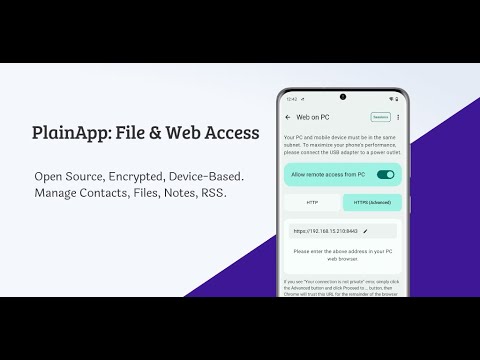

PlainApp lets you access and manage your phone from a web browser on your computer.
Your phone runs a small local service, and you open a web page on the same network to view and manage files, media, and device information — no cloud required, no ads, no signup.
Key Features
- Access phone files (internal storage, SD card, USB)
- View images, videos, and audio
- Screen mirroring
- Device information
- AI image search
- Works in your browser (PWA supported)
Privacy & Security
- All data stays on your device
- No cloud, no third-party servers
- No ads, no tracking
- Encrypted with TLS + XChaCha20-Poly1305
Built-in Tools
- Notes (Markdown)
- RSS reader
- Video and audio player
- TV casting
PlainApp is made for simple, local, and private phone access from your computer.
Website: https://plainapp.app
GitHub: https://github.com/ismartcoding/plain-app
Reddit: https://www.reddit.com/r/plainapp
Video: https://www.youtube.com/watch?v=TjRhC8pSQ6Q
- Fixed Stay Online mode: the screen no longer locks, a new "Go dark now" button blacks it out instantly, and there is no grey border on some phones (e.g. Samsung)
- LicenseFree
- File namePlainApp
- File Version3.3.25
- Package namecom.ismartcoding.plain
- Size30.67 MB
- UploadedOctober 15, 2026
- Android10 or later

- CategoryProductivity
- DeveloperPlainHub
- Developer sitehttps://plainapp.app
- Developer emailsupport@plainapp.app
- md5 hash0f2ca5a4d730f5e0afd0f63e623b4d73
- Architecture-
- Permissionsshow (37)
